
 English
 中文简体
中文简体 English
 Русский
 Español
 Português
 Türkçe
 العربية
 Deutsch
 Polski
 Italiano
 Français
 한국어
한국어 ไทย
ไทย Tiếng Việt
 日本語
日本語





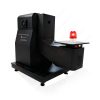














High Frequency Spark Generator
User's Manual
Applicable LISUN models: LS-B59
1. Basic Understanding of Equipment
1.1 Applicable Standards
This device is a High Frequency Spark Generator as described in Clause 14.6 of GB/T 19510.1-2023, “Light Source Control Devices—Part 1: General and Safety Requirements” (Clause 11.4.2 of IEC 61347-1:2024).
Used to test whether the gases emitted from the components of a light source control device are flammable when the device is in a fault condition.
1.2 Equipment Configuration Verification
1.2.1 Unpacking
When unpacking the device, handle it gently to avoid scratching the outer casing with sharp tools. After unpacking, first inspect the exterior of the device to ensure there is no visible deformation or dents, and that the buttons are not damaged or loose. If you notice any abnormalities with the device or its accessories, do not turn it on. Please contact us immediately.
1.2.2 Main Unit and Accessories
| Number | Note |
| ① | LS-B59 Main Unit |
| ② | Power Cord |
1.2.3 Downloading Electronic Documents
We have already sent you the download links for the digital user manual, calibration certificate, warranty card, and other documents via email at the time of shipment. Please download them as soon as possible. If you have not received the email, please contact us to request the download links again.
2. Safety Precautions
2.1 Electrical Safety
Before connecting the power cord, verify that the supply voltage is AC 220 V ±10% and the frequency is 50 Hz or 60 Hz. You must use a three-prong outlet with a protective ground, and the protective ground resistance must be ≤4 Ω. Never cut or disconnect the protective ground wire, as doing so poses a risk of electric shock.
2.2 Environmental Safety
Do not use in environments with flammable or explosive materials, strong electromagnetic interference, high temperatures and humidity, or excessive dust levels. Place the equipment on a level, stable surface and ensure there is at least 0.5 m of operating space around it. Operating environment: temperature 15°C to 35°C, relative humidity 45% to 75%.
2.3 Operating Procedures
Metal objects must not come into contact with the equipment’s electrodes to prevent a strong arc from burning out the step-up coil; operators must ensure they are properly insulated; before performing maintenance, the power must be turned off, and the equipment must be allowed to stand for at least 5 minutes to allow the capacitors to discharge completely.
3. Equipment Overview
3.1 Equipment Configuration
See Figure 3-1.
| Number | Note |
| ① | The power cord jack is located on the back of the device. |
| ② | Power Switch |
| ③ | High-Frequency Spark Switch |
| ④ | Electrode that generates high-frequency sparks |
| ⑤ | Joystick |
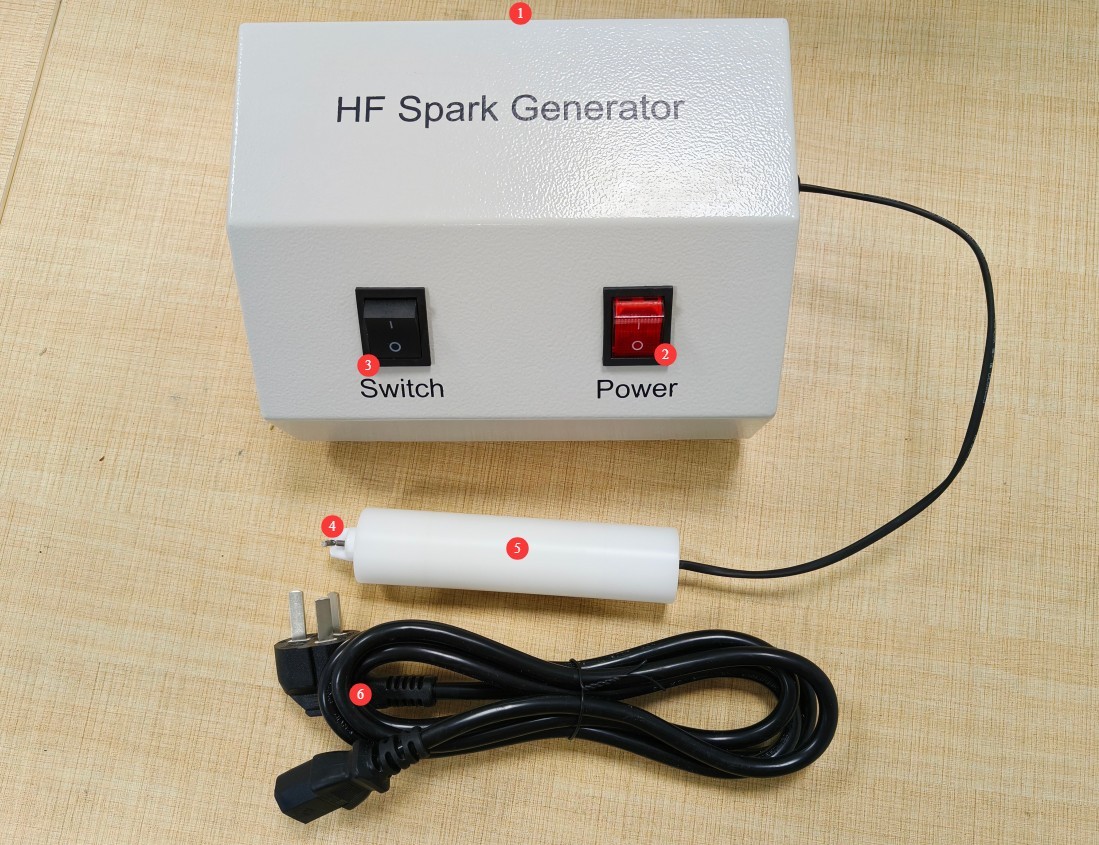
Figure 3-1
3.2 Equipment Use
During testing, please wear insulated gloves and hold the handle. After completing each failure test specified in the standard, use a High Frequency Spark Generator to scan all gaps and ventilation holes in the product housing to observe whether any gas is ignited (the test is considered passed if there is no popping sound or flame).
Do not allow the probe to come into direct contact with the conductive parts of the test object to avoid short circuits that could damage the equipment. Also, ensure that the test area is free of other gases, flammable gases, and ignition sources to prevent false readings and avoid hazards.
4. Daily Maintenance and Care of Equipment
4.1 Equipment Maintenance
4.1.1 Equipment Cleaning
At the end of each day’s testing, clean dust and sample debris from the equipment surfaces to ensure that the area where the high-frequency spark is generated is clean and free of debris.
4.1.2 Electrode Maintenance
Gently wipe the electrode surface with a lint-free cotton swab moistened with anhydrous alcohol. Never apply grease or rust-preventative oil (which can form an insulating film); this step removes oil residue and oxidation layers. If the tip shows slight ablation, lightly sand it with 800–1500-grit metallographic sandpaper until smooth, maintaining its sharpness; if severe wear or oxidation occurs, the electrode must be replaced.
4.2 Maintenance During Long-Term Storage
After the equipment has been powered off and regular maintenance has been completed, cover the entire unit with a dust cover and store it in a dry, well-ventilated warehouse; power it on for 30 minutes without a load once a month to prevent components from becoming damp and damaged.
5. Troubleshooting and Resolving Common Problems
| Fault Symptoms | Possible Causes | Procedure |
| Spark Abnormality | Electrochemical Oxidation Corrosion | See Section 4.1.2, “Cleaning and Maintaining Electrodes” |